Blog

  • How InboxProcessor Works: Claude Code on a Timer

    In my last post I said that running Claude Code headless on a timer is the killer feature. InboxProcessor is the clearest example of that, but it only got a couple of lines, so this post is the walkthrough: what it does, how it works, what goes wrong, and where I’ve drawn the line on what it’s allowed to do.

    What it is

    The idea is simple. I write a task as a note and drop it into a Tasks/Inbox folder in my Obsidian vault. Every 15 minutes the Pi checks that folder, picks up anything waiting for it, and hands each task to Claude Code to carry out. When it’s finished, the note is updated with what was done and filed away.

    Because the vault syncs everywhere, I can create a task from my phone, my PC, or (most often) by asking Claude in a chat to “save this as a task”, which writes the note into the vault through Google Drive. It was built in August and has worked through a few dozen tasks since.

    There’s also a Windows version. The Pi has no screen or browser, so anything that needs a real, logged-in browser (looking something up on LinkedIn or Facebook, for example) is marked for the Windows PC instead. That version runs while I’m logged in, checks the same Inbox folder every 30 seconds, and uses Claude in Chrome. The two never fight over a task because each only picks up the ones addressed to it.

    What a task looks like

    A task is just a Markdown note, created from a template so it always has the same shape:

    • The filename is YYYY-MM-DD-HHmm-short-slug.md, for example 2026-09-30-0838-fix-regression-suite-failures.md. It sorts by date and never clashes with another task.
    • The frontmatter says when the task was created, where it came from (chat, me, n8n), who should do it (the Pi, the Windows PC, n8n, or either), a free-form type, a priority, and a status.
    • The body has to be self-contained. It’s written assuming whoever picks it up knows nothing about the conversation that created it: exact notes to change, exact text, and what “done” looks like.

    The status moves from pending to in-progress to done, or to blocked if it gets stuck. Finished tasks move to a Tasks/Archive folder rather than being deleted, so the archive is a running log of everything that’s been done and how.

    How a run works

    1. A systemd timer starts a short Python script every 15 minutes. A lock stops a slow run overlapping with the next one.
    2. The script looks for notes with status pending that are addressed to the Pi, oldest first, up to five per run.
    3. For each one it first sets the status to in-progress, which claims the task.
    4. It then runs Claude Code non-interactively, with a short prompt that points at the task file and restates the rules: do exactly what the task asks, don’t guess, and when finished either mark it done and move it to the archive, or mark it blocked and explain why.
    5. Claude runs from my home directory, so it picks up the same ground rules as any other session: write a changelog note in the vault for any system change, keep the READMEs current, and update and run the regression tests.
    6. When Claude exits, the script doesn’t just trust the exit code. It re-reads the task file and goes by what the frontmatter now says. Every outcome goes into a history file that feeds a “recent executions” panel on my dashboard.

    What goes wrong, and how it’s handled

    Quite a lot can go wrong with something that runs unattended, so most of the code is about noticing when it does:

    • Ambiguous or impossible tasks get marked blocked with a section saying exactly why, and stay in the Inbox for me to look at. I get an email alert.
    • Crashes and timeouts. Each task gets 20 minutes. If Claude fails, times out, or exits cleanly without updating the task, the script marks it blocked itself and alerts me.
    • Orphaned tasks. If a task has been in-progress for more than 45 minutes (three runs), the previous run must have died, perhaps because the Pi restarted. It gets marked blocked rather than sitting there forever.
    • Tasks that are silently ignored. This has been the most common real problem. When Claude in a chat writes a task with slightly the wrong frontmatter (Claude Code instead of claude-code, an invented target name, or a status written as a list because it was edited in Obsidian’s properties panel), the script simply didn’t see it. Nothing failed, so nothing alerted. Each of these was fixed as it was found, with a changelog note explaining what happened.
    • The Windows version stepping on the Pi. When the Windows version arrived, the Pi’s orphan check would have wrongly “rescued” Windows tasks left in progress when the PC was switched off. A review of the rollout caught it, and the Pi now only judges its own tasks.

    InboxProcessor has its own regression test, like everything else. It checks the timer is running, the status page responds, and the task-finding logic picks up a test task correctly. It deliberately doesn’t run Claude, so the test suite doesn’t spend money or act on real tasks every time it runs. And every change to InboxProcessor itself has a changelog note in the vault under Systems/, the same as every other project.

    So far it has handled 35 tasks: 27 completed, 7 blocked and 1 failure.

    Where the line is

    This is the part I thought about most. Before it was built I had a choice of three options: a strict list of the commands Claude may run, limiting it to editing files in the vault, or full autonomy. I chose full autonomy. A strict list would block the infrastructure tasks I actually want it to do, and a vault-only limit would defeat the point.

    That’s a real trade-off, so it’s backed up by the safety nets above: the time limit, the claim-and-orphan check, the lock, alerts on anything other than a clean finish, and an instruction in every prompt to block rather than guess. A blocked task costs me nothing more than a note to read, so I’d much rather it stopped than guessed.

    Some things are still off limits whatever the task says. As I mentioned last time, my financial data is kept away from the AI except where I’ve made a deliberate exception, and a task in the Inbox doesn’t change that.

    A couple of real examples

    • Fixing a failing test. One morning the regression tests started emailing me every 15 minutes about Watchtower. From a chat I wrote a task asking Claude to investigate and fix it. It found that Watchtower’s nightly update of n8n had tried to send a notification to n8n while n8n was still restarting, a one-off race. It tightened the test to ignore exactly that case and nothing else, checked it against five made-up log samples, re-ran the full suite (all passing), confirmed the alerts had stopped, and wrote the cause and fix into the task note with a link to the changelog entry. I read about it afterwards rather than doing any of it myself.
    • Updating the garden notes. When a bed in the garden was planted, a task asked for the bed note to be updated with what actually went in (including a substitution from the nursery) and a photo added. Claude made the text changes, but the photo was only in the chat that wrote the task, not in the vault, so it marked the task blocked and said so. Once I’d shared the photo it finished the job, then created notes for each new plant and a diary entry, keeping the garden folders consistent.

    The second one is the pattern I like most: it did what it could, stopped at the bit it couldn’t do, and told me exactly why.

    A note on how this post was written: fittingly, it was a task in the Inbox. Claude Code picked it up, went through the InboxProcessor code and README, its git history, its notes in my vault and the archive of past tasks, so that everything here could be checked against what was actually built. It wrote the draft directly into WordPress through the WordPress API, and I then reviewed and edited it before publishing.

  • What I Have Built With Claude Code (So Far)

    It’s been a long time since I posted anything here, but I’ve been busy. Since the start of 2026, and especially over the last couple of months, I’ve been using Claude Code (Anthropic’s AI coding agent) to turn a Raspberry Pi 4 sitting at home into something that does a surprising amount of my life admin for me.

    This post is a snapshot of where it has all got to, mostly so that I have a record of it, and partly because I think it’s a good illustration of what these tools can now do for someone who can code but doesn’t have the time to build all this by hand.

    The ground rules

    Before the list of projects, it’s worth explaining the conventions Claude works to, because they’re what stop this turning into a pile of unmaintainable scripts:

    • Every project gets its own folder, its own git repo and a private GitHub repository, with a README that is kept up to date as things change.
    • Every change gets documented in my Obsidian vault: what changed, why, and how to reverse it.
    • Every service has a regression test, and the test suite has to pass before a change counts as finished.
    • Secrets never appear in code, commands or notes. They live in locked-down files on the Pi and are read at run time.
    • Claude keeps its own memory of decisions, gotchas and things I’ve told it not to touch, so each new session doesn’t start from scratch.

    A lot of my effort has gone into these rules rather than into the code itself, and that’s been the right call.

    The platform

    The Pi runs a set of Docker services behind a reverse proxy, each with its own friendly web address on my home network:

    • Pi-hole for DNS and ad blocking, and Nginx Proxy Manager as the reverse proxy
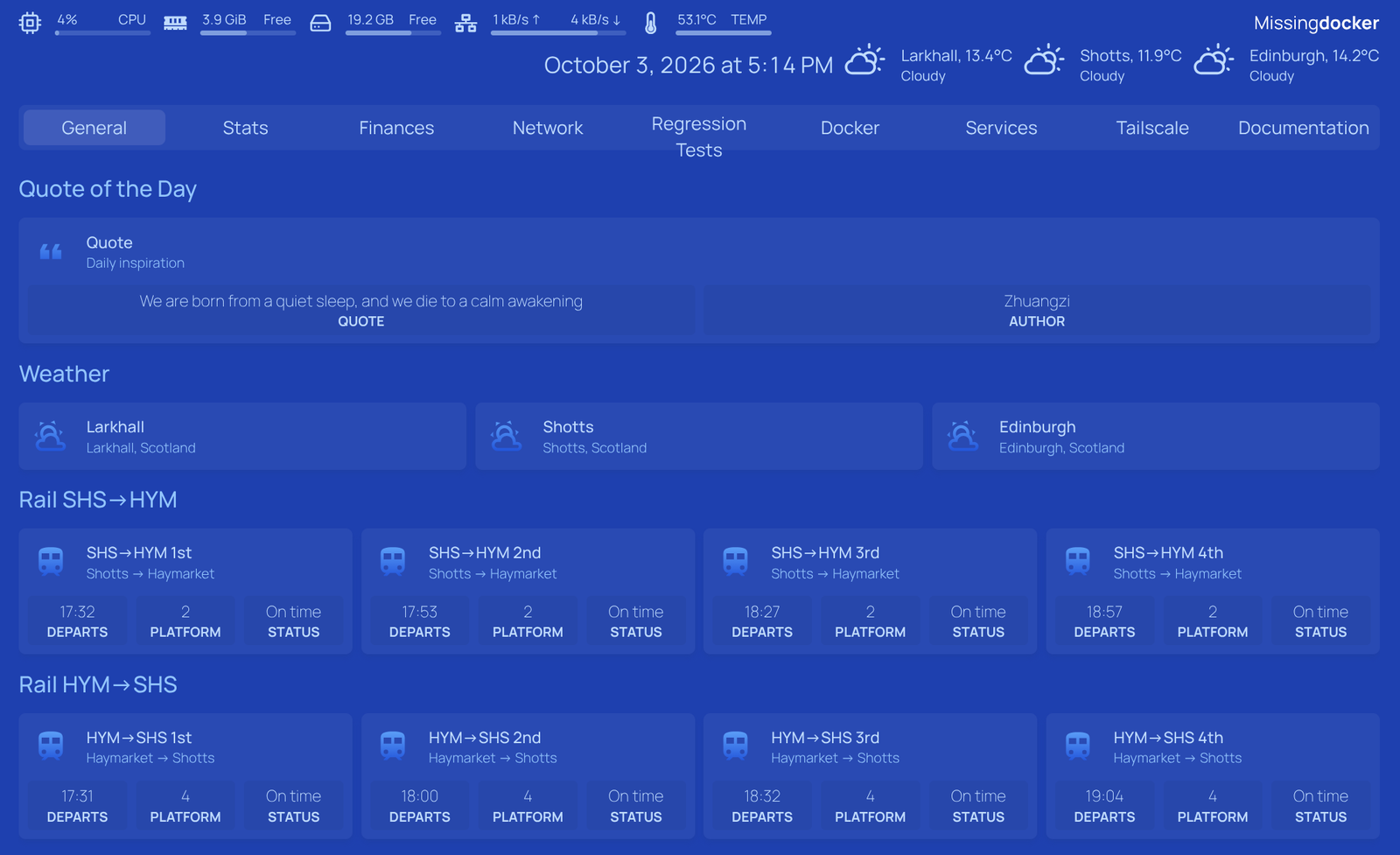
    • Homepage, a dashboard that pulls everything together, with tabs for services, documentation, finances and stats
    • Home Assistant and Mosquitto (MQTT) for home automation
    • n8n for workflow automation
    • Paperless-ngx for document management
    • Actual Budget for budgeting
    • Watchtower to keep the containers updated, and Portainer and CloudBeaver for management

    All the persistent data lives on my Synology NAS, which also keeps a synced copy of my Obsidian vault, and that vault turns out to be the hub of almost everything below.

    The Obsidian vault

    If the Pi is the engine, my Obsidian vault is the memory. It’s a folder of plain Markdown files that now holds around 5,600 notes across nearly 40 topic folders: people, places, trips, events, books, films, companies, cars, watches, the garden, medical history, finances, and much more. It lives in Google Drive, so I have the whole thing on my phone and PC, and it’s synced down to the NAS, where the Pi and its automations work on exactly the same files I do.

    A few things make it work well with an AI that can read and write files:

    • Templates for everything. Every type of note (person, place, trip, event, book, film and so on) has its own template, so notes have consistent frontmatter and Claude knows what shape a new note should be.
    • A description of the vault, inside the vault. A note at the root explains, folder by folder, what lives where and the conventions each folder follows. Claude and the automations refer to it when deciding where things go, and it’s kept up to date as the structure evolves.
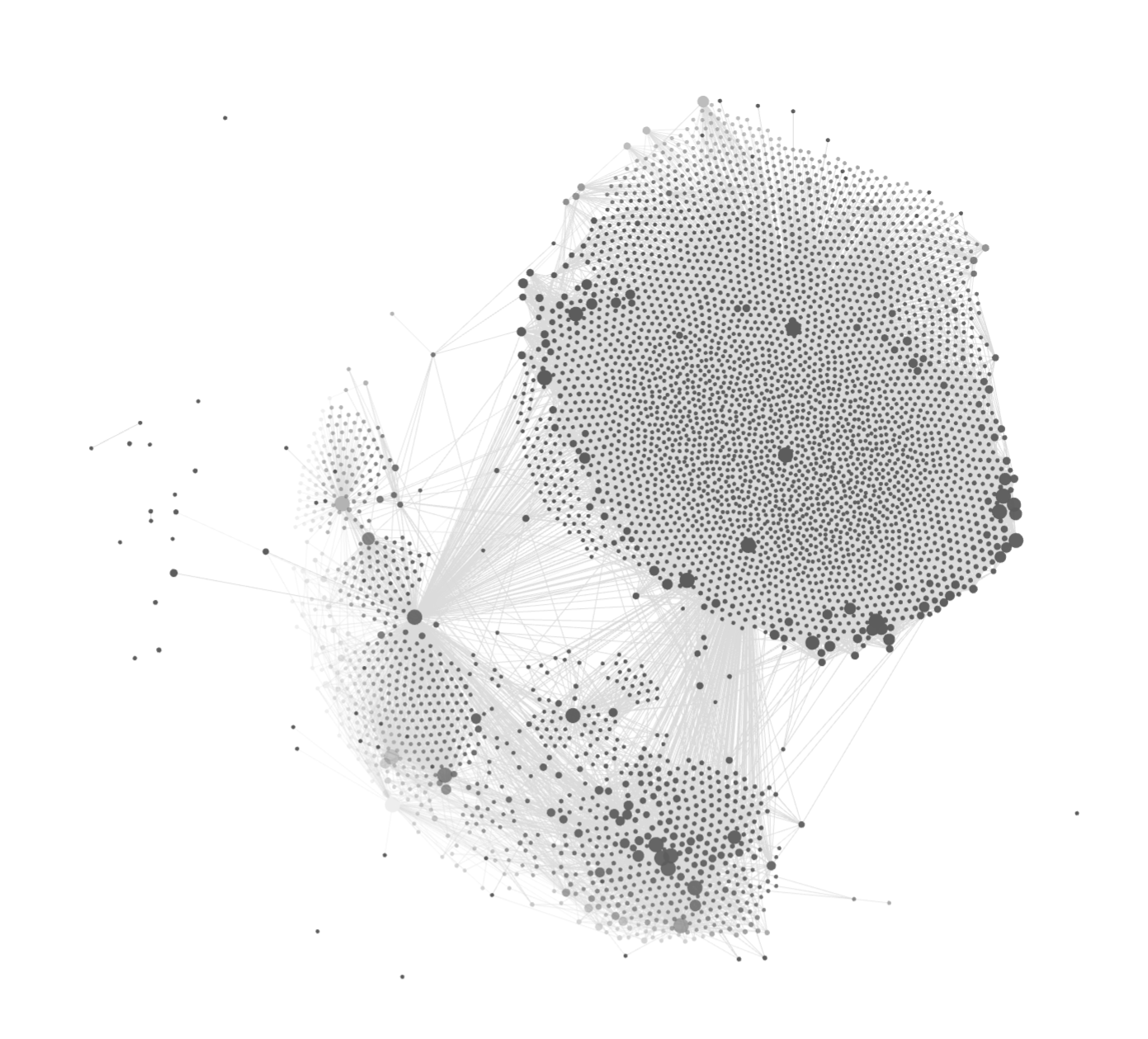
    • Links over folders. An event links to the place it happened, the people who were there, and the trip it was part of. The graph above is the result: years of notes, plus everything the automations have added, all connected.
    • Daily notes. One a day, filed by year and month, which the automations use to understand what I’ve actually been doing.
    • The system documents itself. Each device and service has its own section under Systems/ (over 300 notes now) with a changelog entry for every change Claude makes: what changed, why, and how to undo it. When something breaks months later, that’s where I look first.
    • Tasks as notes. I can drop a task into the Inbox folder and Claude carries it out (see InboxProcessor below), and completed tasks stay in the vault as a record.

    The biggest single folder is Music, with over 3,700 notes generated from my music collection, but the parts I value most are the ones that would otherwise never get written: the restaurants, shows and trips that now get recorded automatically each week.

    The things I’ve built

    Trains and dashboards

    • RailData: the first project, back in March. A small Flask API that queries National Rail for my commute between Haymarket and Shotts and shows the next trains on the dashboard. It has since become the home for a lot of small status pages for the other projects.
    • Pulse: renders GitHub-style heatmaps and charts of my daily activity (email, documents, vault notes, tasks, spending) on the dashboard’s Stats tab.
    • GmailStats: collects daily email metrics for Pulse, now fed by an n8n workflow.

    Paperwork and money

    • InvoiceCapture: some suppliers only send an email saying “your bill is ready”. This logs into their website with a headless browser, downloads the PDF, files it in Paperless and pulls out the amounts. Each supplier is just a config file.
    • Evernote migration: a one-off tool that moved over a decade of Evernote notebooks into Paperless, one document per note, keeping the original dates and tags.
    • PaperlessGeminiSync: pushes selected Paperless documents into Google Gemini notebooks so I can ask questions of them.
    • BankSync and FinanceImport: getting bank transactions into Actual Budget. BankSync used Open Banking; FinanceImport takes the bank export files I drop into a folder, reconciles them against the bank balances, works out my net worth, and then deletes the file. Transaction data never goes into git and is never shown to the AI.
    • FinancialReview: once a month Claude writes a financial review note in my vault covering spending, savings, mortgage and debt, and “items to watch”, and follows up on last month’s.

    My Obsidian vault, on autopilot

    • InboxProcessor: I can drop a task note into an Inbox folder in the vault, from my phone or anywhere, and every 15 minutes Claude picks it up and does it. There’s a Windows version too.
    • VaultMaintenance: a monthly tidy-up audit of the vault that reports inconsistencies and fixes a couple of well-defined categories itself.
    • PeopleReview: a monthly look through email and calendar to keep my notes on family and friends up to date.
    • EventCapture: a weekly scan of email and calendar for things I actually went to (shows, cinema trips, restaurants, places) that records them in the vault.
    • MusicNotes: creates a note for every artist and album in my music collection on the NAS.
    • RemarkableSync: every Sunday it archives my handwritten reMarkable work notebook as a PDF and creates a fresh one for the week ahead.

    Reading, watching and listening

    • InstapaperCurator: every Friday Claude picks ten articles it thinks I’ll want to read, based on my reading history and what I’ve been doing, and saves them to Instapaper.
    • YouTubeReview: the newest project. A monthly review of my YouTube and YouTube Music history that flags uploads I missed and subscriptions I’ve neglected, and builds “Claude Picks” playlists.

    Gadgets

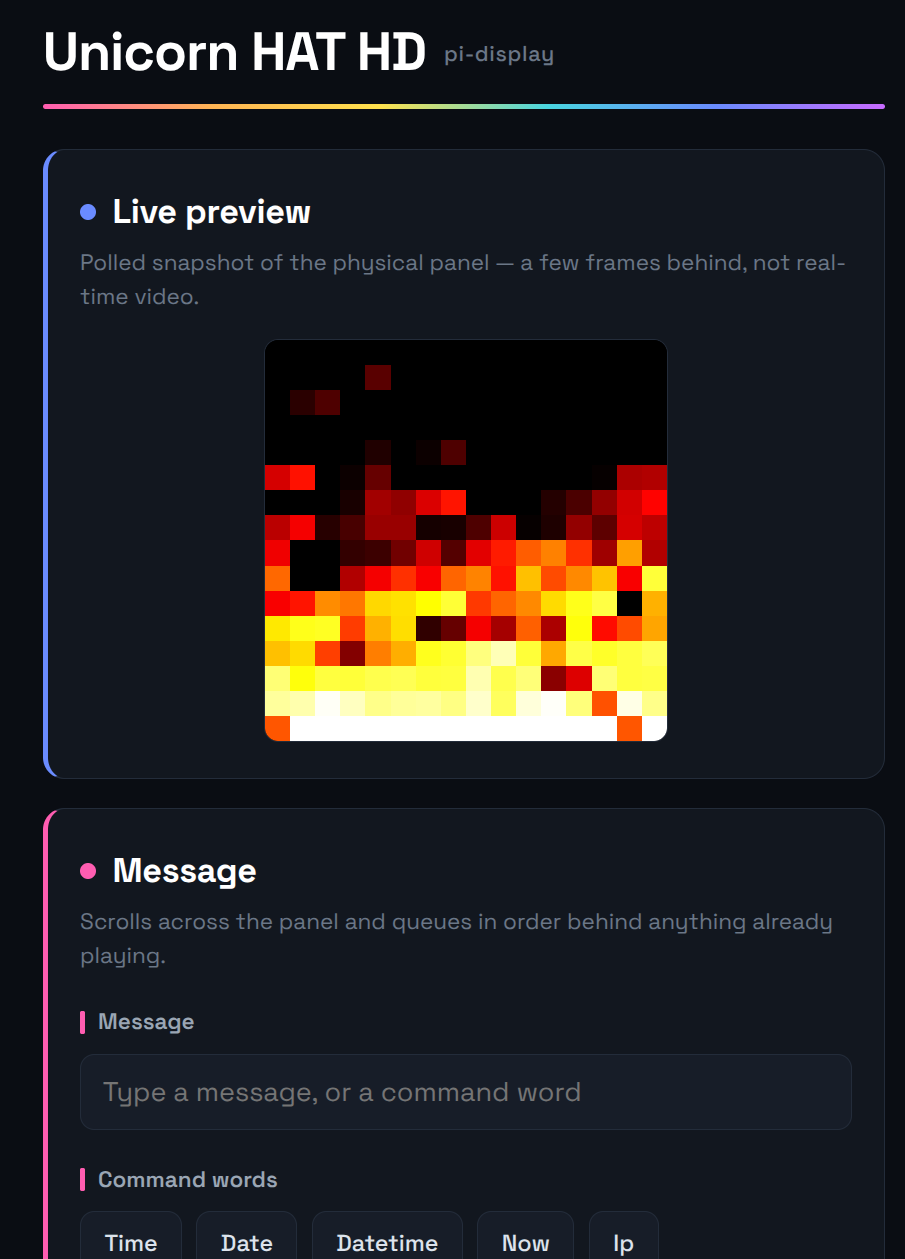
    • UnicornDisplay: a Pi Zero with a Pimoroni Unicorn HAT HD LED matrix that scrolls messages sent over MQTT and runs fire, plasma, Game of Life and Matrix animations in the background. It has a little web control page, and the next train can be sent to it with one tap.
    • WifiWatchdog: because that Pi Zero kept falling off the mesh WiFi and not reconnecting by itself.
    • KeybowLayout: a backup of the configuration for my 12-key Keybow macro pad, which until now only existed on its SD card.
    • GeminiImageGen: a small command-line tool for generating images.

    Keeping it all running

    • Regression tests: 38 test scripts covering every service, plus a watchdog that runs them regularly, restarts things that have fallen over, and tells me when it can’t.
    • claude-dotfiles: keeps my Claude Code agents and commands in sync between the Pi and my Windows PC.

    What I’ve learned

    • The speed is real. Most of these projects were built between August and October 2026. A few of them went from idea to running in an evening.
    • Headless Claude is the killer feature. Running Claude Code non-interactively on a timer means “a job that needs judgement” can be scheduled just like a cron job. Over half of the projects above work this way.
    • It isn’t magic. Things break: OAuth tokens expire, banks revoke consents, websites change their login pages. The regression tests and the documentation habit are what make it manageable, because when something breaks I can find out what it was meant to do and why.
    • Decide where the line is. Some automations change my notes with nobody reviewing them first, and I’m comfortable with that. My financial data, on the other hand, is kept well away from the AI except where I’ve made a deliberate exception.

    A note on how this post was written: it was drafted using Claude Code, which went through the READMEs, code history and vault notes of every project described here, so that the post was accurate and complete. It wrote the draft directly into WordPress through the WordPress API, and I then reviewed and edited it before publishing.